Meet Claudia - Claude's Rebellious Younger Sister
A powerful Windows desktop LLM client with full MCP-UI support — AI tools that render interactive interfaces right inside your chat
Why Choose Claudia?
Built with modern technologies and designed for power users
MCP-UI Support
AI tools render interactive UIs — buttons, forms, charts — directly inside chat via sandboxed iframes
MCP Integration
26 custom tools with auto-calling, built-in file system and Office document servers
Smart Context Menus
Right-click any text to instantly 'Ask' or 'Explain' with AI assistance
Built for Windows
Native desktop experience with system tray support and Windows 10/11 optimization
AI Tools with Interactive Interfaces
Claudia fully supports MCP-UI — the official MCP Apps standard for interactive AI tool interfaces. Instead of plain text, your MCP tools can render rich HTML UIs directly inside the chat window.
Beyond Text — Full UI in Chat
MCP-UI tools use the ui:// resource URI scheme to deliver interactive HTML interfaces. Claudia renders them in secure sandboxed iframes with live two-way messaging between the UI and the AI.
- Interactive buttons, forms, and charts rendered inside chat
- Sandboxed iframes keep your system safe from remote code
- Two-way communication between UI and AI via postMessage
- Automatic ui:// resource detection — no config needed
- MCP Apps standard — the official spec for interactive AI UIs
- Backward compatible with legacy MCP-UI hosts
Full MCP Ecosystem Support
Beyond interactive UIs, Claudia ships with 26 custom tools and deep MCP server management — with built-in servers, auto-calling, and Claude Desktop import.
- 26 custom tools with auto-calling
- Built-in file system and Office document MCP servers
- SSE transport protocol support for MCP connections
- @mention files and tools directly in chat sessions
- Per-chat file system configuration (not global)
- Import MCP servers from Claude Desktop with one click
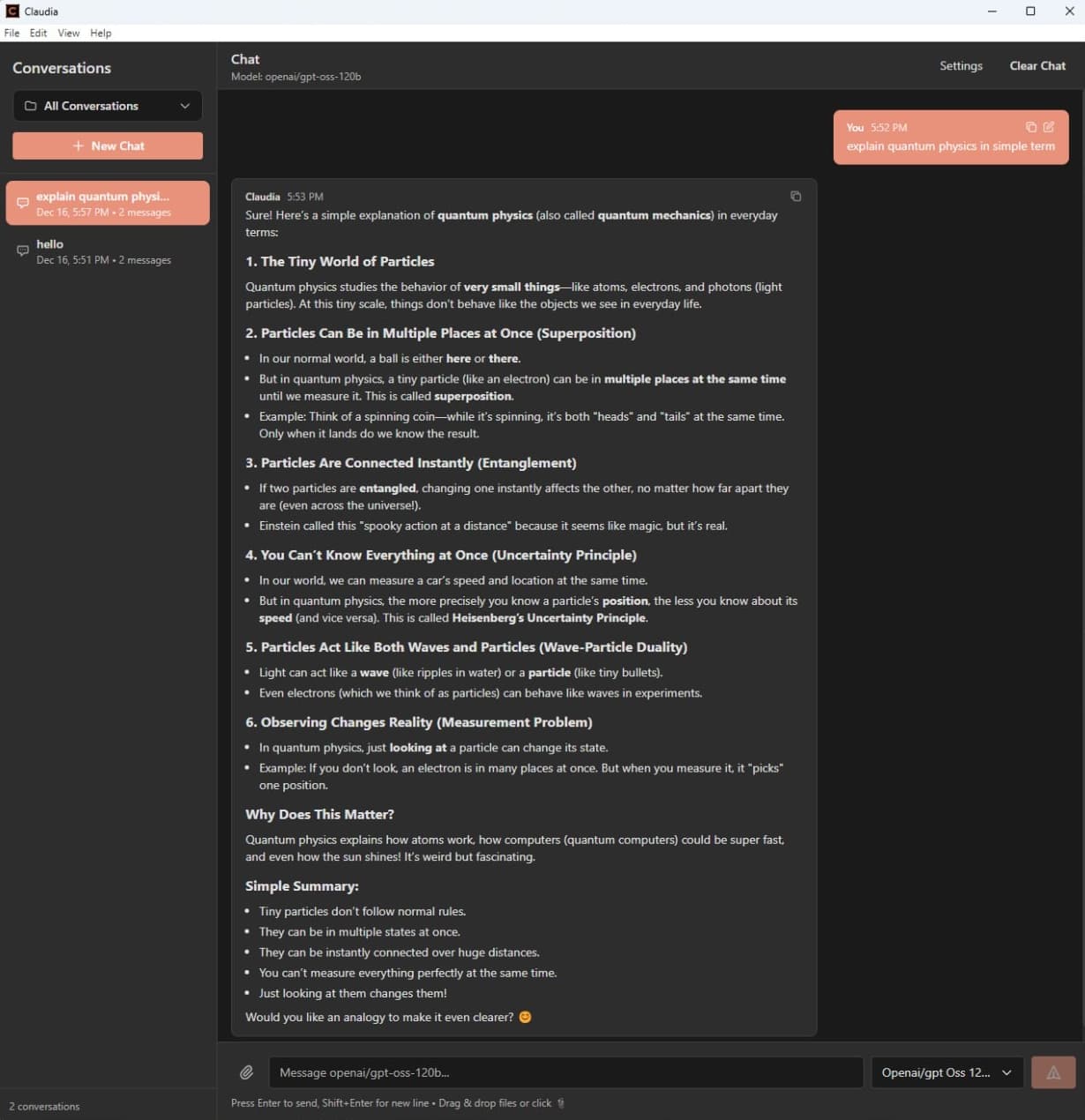
Beautiful Interface
A modern, clean interface that adapts to your preferred theme
Comprehensive Feature Set
Everything you need for a powerful AI-assisted workflow
MCP-UI Interactive Tools
MCP tools can return rich HTML interfaces — buttons, forms, charts — rendered in sandboxed iframes right inside the chat
Chat with Streaming
Real-time conversation with instant streaming responses via Server-Sent Events
File & Image Attachments
Drag-and-drop or paste files and images directly into your conversations
Conversation History
Persistent storage of all your past interactions
Project Organization
Organize conversations into projects for better management
Dark/Light Theme
Switch between themes for comfortable extended use
System Tray
Minimize Claudia to the system tray for quick access without cluttering your taskbar
@Mention Files & Tools
Use @mentions to reference file system tools and resources directly in chat
Context Menu AI
Right-click anywhere to 'Ask' or 'Explain' selected text using AI instantly
Built-in MCP Servers
Integrated file system and Office document access MCP servers out of the box
API Key Security
Encrypted storage for your API keys and credentials
Model Selection
Choose from multiple AI models for your conversations
MCP Server Management
Configure custom MCP servers with SSE transport support and Claude Desktop import
Built with Modern Technologies
Leveraging the best tools and frameworks for a robust desktop experience
React 18
Modern UI library
TypeScript
Type-safe development
Electron 28
Cross-platform framework
Tailwind CSS
Utility-first styling
Redux Toolkit
State management
Vite
Fast build tool
Get Started with Claudia
Download the latest release and start your AI-powered conversations
Download & Install
Download the latest release and run the installer
Configure Open WebUI
Set up your Open WebUI connection in settings
Start Chatting
Begin your AI-powered conversations with MCP support
100% Open Source
MIT Licensed • Community Driven • Contributions Welcome